Mobile PDF reader and editor for secure on-device document work
PDF Flux Reader - Fast Editor, developed by FH.Studio, is an Android document utility built to turn a mobile device into a portable office for productivity tasks. The app concentrates on fast document handling and local control so users can manage contracts, notes, and mixed-format files while away from a desktop. It prioritizes speed and privacy for business professionals, students, and remote workers who need reliable mobile document control and basic file management on mobile.
What professional workflows does the app target?
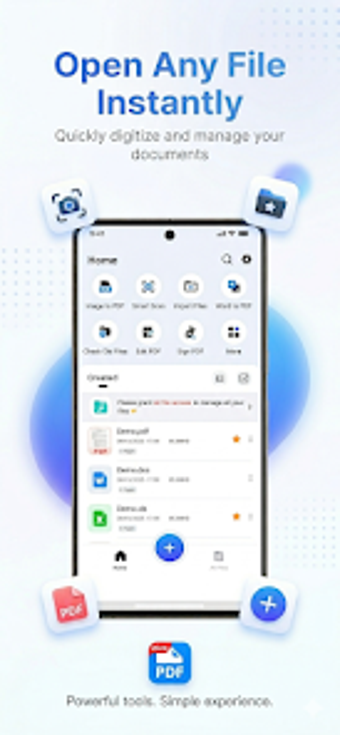
The app positions a phone or tablet as a compact workplace for reviewing business material, assembling study notes, and preparing documents for client review. It consolidates reading, markup, conversion, and file organization so users face fewer app switches when handling Word, Excel, PPT, and PDF files. This consolidation supports individual contributors and small teams that need to prepare or verify documents while mobile.
How are edits, annotations, and signatures performed in practice?
Editing flows follow a direct edit-and-save model: users open a file, annotate with built-in brushes, insert text where needed, and apply a digital signature to finalize a contract. Image-to-PDF conversion is offered as a one-tap action to convert photos into high-definition PDFs. Batch file operations in the manager simplify multi-document housekeeping before handoff or archiving.
Is adoption and daily use practical for mobile professionals?
The app uses a centralized document hub that automatically indexes files found on device storage, which reduces manual import steps. Keyword search speeds retrieval of specific documents and lowers time spent browsing folders. The developer optimizes the build for a lightweight footprint on Android hardware, so typical users get faster access and less setup time compared with heavier mobile office suites.
What formats and performance can users expect?
Format compatibility includes PDF plus mainstream office documents such as Word, Excel, and PPT, enabling direct opening and export of common business files. File management supports renaming, moving, and batch deletion to tidy storage before sharing. Rendering emphasizes speed with ultra-smooth viewing and lag-free zooming, and user reports note dependable handling of large or complex documents on standard Android devices.
Best for privacy-minded mobile professionals, less suitable for cloud collaboration
The app is a capable, privacy-focused choice for mobile professionals who require fast, offline document control and on-device edits. Because the app performs all processing locally and supports full offline use, it suits solo users and small teams that manage shared files manually. Consider it when device-level privacy is a priority; it is less appropriate for organizations that need integrated cloud-based collaborative editing workflows.